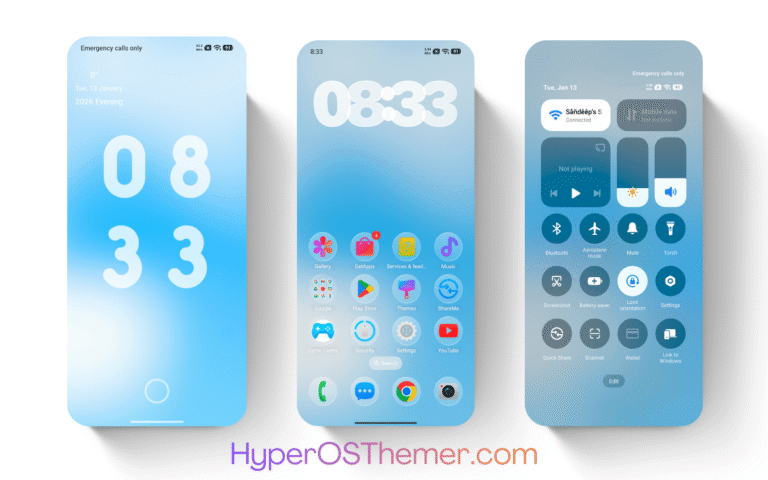
The Glass 8V HyperOS Theme is a visually refined customization option designed for Xiaomi, REDMI, and POCO devices running the latest HyperOS versions. This theme focuses on a clean and modern design language, delivering a smooth and consistent user interface across the entire system.
Optimized specifically for HyperOS, the Glass 8V theme ensures stability, performance efficiency, and full system integration. It supports both HyperOS 2 and HyperOS 3, making it compatible with a wide range of Xiaomi ecosystem devices.
Glass 8V HyperOS Theme Overview
| Feature | Details |
|---|---|
| Theme Name | Glass 8V |
| Author | VK |
| Compatible With | HyperOS 2 & 3 |
| Get Theme Access Via | Theme Store |
| Supported Devices | Xiaomi, REDMI, & POCO |
Glass 8V HyperOS Theme Screenshots
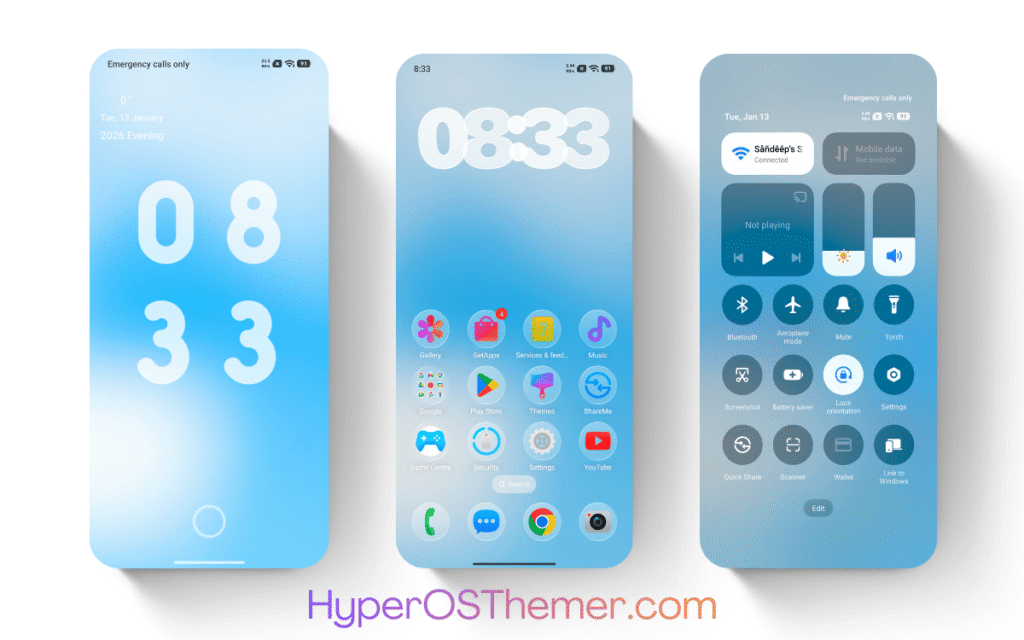
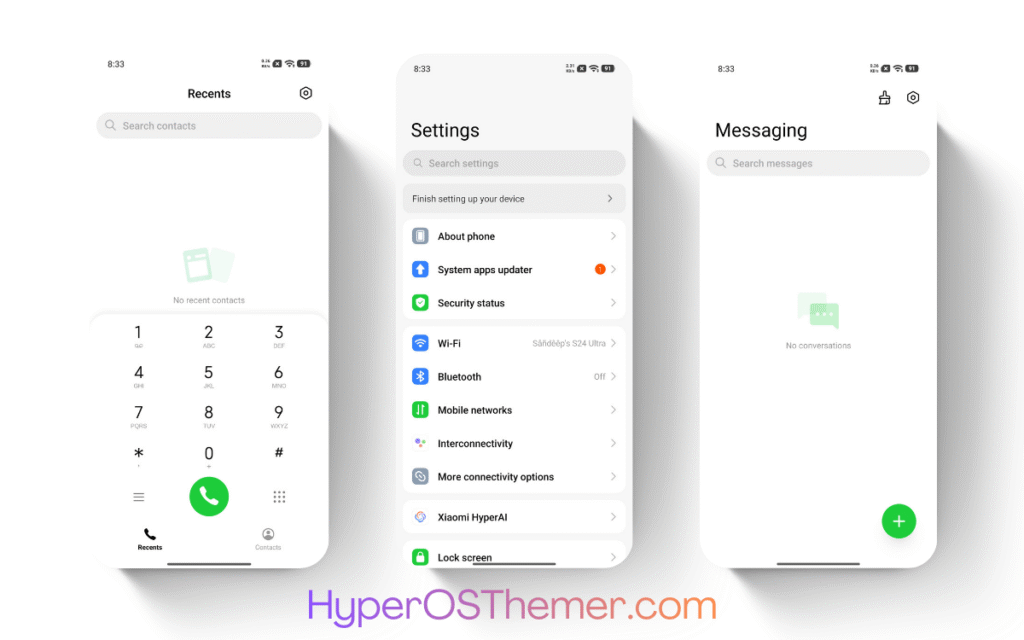
Glass 8V HyperOS Theme Features
The Glass 8V HyperOS theme provides a balanced combination of aesthetics and usability, making it suitable for both casual users and advanced customization enthusiasts.
1. System-Wide UI Customization
The theme applies changes across the entire system interface, including:
- Settings app
- Notification panel
- Control center
- Dialer and messaging UI
- System apps
This ensures a unified visual experience without inconsistencies.
2. Redesigned Icon Pack
Glass 8V introduces a refined icon pack aligned with HyperOS design guidelines:
- Minimalistic shapes
- Balanced color palette
- Improved visibility in both light and dark modes
3. Enhanced Status Bar & Control Center
The theme modifies the status bar and quick settings panel with:
- Cleaner toggles
- Improved spacing
- Better readability of icons and text
4. Lock Screen Improvements
- Simplified layout
- Clear time and notification visibility
- Optimized font usage for readability
5. Refined Settings Interface
The settings menu is redesigned to provide:
- Better grouping of options
- Consistent spacing and typography
- Easier navigation
6. Smooth Animations
The theme includes subtle animations that:
- Improve visual fluidity
- Do not impact performance
- Maintain system responsiveness
Design & User Interface Experience
The Glass 8V HyperOS Theme follows Xiaomi’s official HyperOS design philosophy. It ensures that the visual language remains consistent across all core system components.
Key UI highlights include:
- Balanced contrast for better readability
- Consistent typography across system apps
- Proper spacing and alignment for a clutter-free interface
- Adaptive visuals for both light and dark modes
The theme does not overuse colors or effects, making it ideal for users who prefer a professional and distraction-free interface.
Performance & Stability
One of the major advantages of the Glass 8V theme is its lightweight nature. It is designed to work efficiently without affecting system resources.
- No background scripts or services
- No noticeable battery drain
- Stable performance across devices
- Optimized for both mid-range and flagship smartphones
The theme has been tested to work smoothly on devices officially running HyperOS 2 and HyperOS 3.
Compatibility Details
The Glass 8V HyperOS Theme is compatible with a wide range of Xiaomi ecosystem devices, including:
- Xiaomi series smartphones
- REDMI series devices
- POCO smartphones
It supports:
- HyperOS 2 (Android 14-based)
- HyperOS 3 (Android 15/16-based rollout)
Note: Some UI elements may vary slightly depending on device model and system version.
HyperOS 3 Features Overview
HyperOS 3 brings several system-level improvements that enhance the overall theme experience:
- Improved animation engine for smoother transitions
- Enhanced privacy and security controls
- Better memory management and app optimization
- Refined system UI with consistent design language
- Improved cross-device connectivity within Xiaomi ecosystem
Themes like Glass 8V take full advantage of these improvements to deliver a more polished user experience.
How to Download and Apply Glass 8V HyperOS Theme
Follow the steps below to apply the theme:
- Open the Theme Store Link given above on your Xiaomi / REDMI / POCO device
- This will redirect you to Theme Store.
- Download and install the theme
- Tap on Apply
- Customize specific elements (icons, lock screen, status bar) if needed
- Reboot your device (optional for full effect)
Important Notes
- Theme availability may vary depending on region
- Some features may require the latest HyperOS updates
- Always download themes from the official Theme Store for security
Why Choose Glass 8V HyperOS Theme?
The Glass 8V theme stands out due to its balance between visual appeal and usability:
- Designed specifically for HyperOS
- Clean and minimal interface
- No need for root or third-party tools
- Fully optimized for daily use
- Maintains system performance and battery efficiency
The Glass 8V HyperOS Theme is a reliable customization option for users looking to enhance their device’s visual experience without compromising performance. Its clean design, system-wide consistency, and compatibility with HyperOS 2 and HyperOS 3 make it a solid choice for Xiaomi, REDMI, and POCO users.
For users who prefer a modern, clutter-free, and stable UI, Glass 8V is a practical and well-optimized theme available directly through the official Theme Store.